RIDE DESIGN, MOTION, AND SHOW CONTROL

Previsualize the complete ride experience.

Build motion profiles, ride layouts, lighting, audio, media, and effects in one real-time 3D workspace, with vehicle timing and show cues.

A complete workspace for ride design.

Move from early layout to a complete previs experience without rebuilding the project in separate applications. MotionSim handles motion-platform authoring; TrackSim handles the ride path, vehicles, and show environment.

Bring your ride workflow together

Bring work from Unreal Engine, Blender, SketchUp, Enscape, Revit, and AutoCAD into one unified, ride-focused workspace where you can evaluate the complete experience together.

Works with your current toolchain

Keep the tools you already rely on. Import assets and projects, including custom 3D models from Blender or Maya, then export coordinated review, planning, and show-cue deliverables.

MotionSim

3DOF and 6DOF motion editor

Motion profile authoring for 3DOF and 6DOF simulators and motion platforms, synchronized with media and practical effects on one timeline. Record manually or with MoCap using input devices.

  • Timeline control

    Keyframe all six axes alongside media and effects.

  • Motion capture

    Record input from phones, VR controllers, and game devices.

  • Safety limits

    Scale intensity and constrain individual axes before export.

  • Live preview

    Review platform movement and force feedback in real time.

TrackSim

Tracked and trackless ride previsualization

Design and previsualize ride layouts with synchronized lighting, spatial audio, media, motion, and environmental effects. Review the guest POV, analyze operations and clearance, then export coordinated review and planning deliverables.

  • True-scale layout

    Work in metric or imperial units and check vehicle clearance envelopes against walls and scenery.

  • Synchronized show previs

    Place lighting, screens, speakers, and effects with HRTF spatial audio from the rider’s POV.

  • Operations analysis

    Estimate cycle time, block-limited capacity, practical throughput, queue capacity, and normal or peak wait.

  • Review exports

    Export POV Ridecam video plus scene, dwell, clearance, and operations reports.

  • Equipment and budgets

    Import brand-name lighting fixtures, strobes, gobos, fog, LN₂ systems, proximity sensors, and more. Add manual allowances for anything not listed, then roll hardware, labor, and soft costs into a BOM or RFQ-ready CSV.

  • Show cue export

    Compile spatial triggers into absolute-time cues, then download ShowTimeline for review or WEM for Weigl ProCommander commissioning.

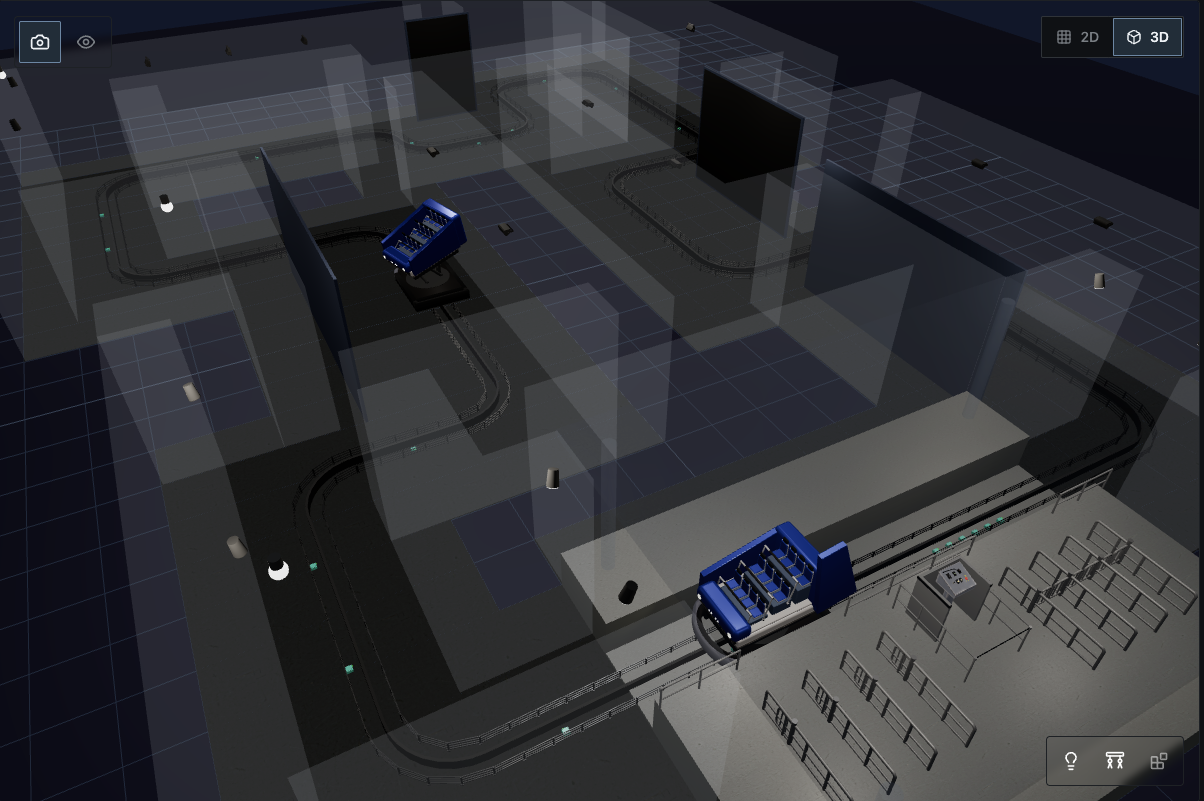
RideSim 3D overview showing the full dark ride track, scene walls, vehicles, and show elements
3D overviewReview the complete track, scene boundaries, vehicles, and show elements in one model.
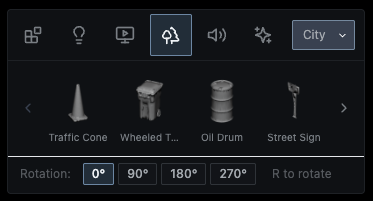
RideSim built-in asset browser showing 3D city props and placement controls
Built-in asset libraryPlace included 3D models, lighting fixtures, gobos, speakers, screens, and effects directly into the scene.
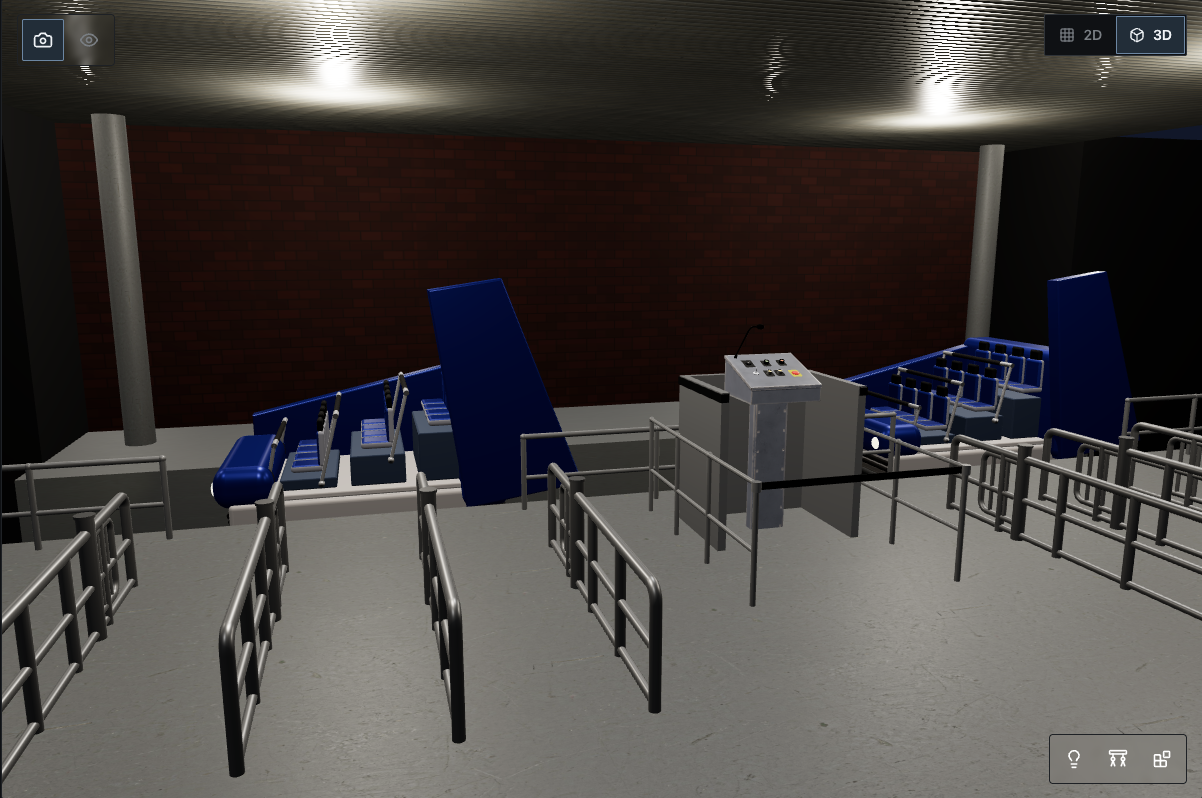
RideSim loading zone preview with ride vehicles, operator console, queue railings, lighting, and scenic walls
Loading zoneInspect guest spaces, vehicle placement, railings, air gates, lighting, and operator controls at ride scale.

One shared view for the whole ride team.

Creative directors, engineers, designers, specialist subcontractors, and independent builders can work from the same timed model instead of translating the ride between disconnected documents and tools.

Engineering and ride design

Carry decisions through the full ride.

  • Operations-aware design

    Test how creative choices affect block timing, practical capacity, queue wait, and operations before changes become expensive.

  • Equipment planning built-in

    Choose from a catalog of brand-name hardware or add manual allowances. Export a location-aware BOM or RFQ worksheet.

  • Connected planning

    Keep timing, clearance, operations, show cues, and procurement tied to one project—so review reports, budgets, and cue data stay in sync.

Specialist collaborators

Keep the whole team on the same page.

Lighting and scenic designers, show-control programmers, composers, sound designers, and video teams can review scene timing, vehicle position, movement, sound, and picture in sync, as they will play on the finished ride. RideSim is designed for collaboration: the whole team shares the same project, while variations let each specialist explore different timing, cues, media, and audio without disrupting work elsewhere.

Planned capability

Connect to professional show-control workflows.

Show control, media, and projection

Export absolute-time show cue data and WEM Weigl scripts for review and custom integrator workflows today. Direct imports and handoffs to additional show control, media playback, AV operations, and projection alignment systems are planned and in development.

Alcorn McBride V16X, BinloopX, and RidePlayer, Alcorn McBride WinScript Live and SyncCore workflows, Medialon Manager, ISAAC by Smart Monkeys, 7thSense Delta Media Server, Pandoras Box by twoloox, ETC Mosaic, Weigl ProCommander and Showforge, AV Stumpfl PIXERA, Christie Mystique projection alignment, and more.

Ride control, lighting, and synchronization

Planned protocol integrations will translate ride cues to DMX512, sACN, Art-Net, and vendor-specific systems for hardware validation before commissioning.

Beckhoff TwinCAT 3 via ADS and OPC UA, Rockwell Logix and Studio 5000 workflows via EtherNet/IP and OPC UA, DMX512, sACN, Art-Net, PTP, NTP.

Integration partners

Building technology for attractions?

RideSim is being designed to connect with industry ride systems, show control, audio, media, and other attraction technologies. We’re interested in collaborating with manufacturers, integrators, design firms, and technology partners.

Discuss an integration or partnership

Frequently asked questions

What is RideSim?
RideSim is a real-time 3D workspace for designing and previsualizing dark rides, tracked and trackless attractions, and motion simulator experiences. It brings vehicle motion, ride timing, lighting, audio, media, and show effects into one coordinated model.
What are MotionSim and TrackSim?
MotionSim is RideSim’s editor for authoring synchronized 3DOF and 6DOF motion profiles. TrackSim is the ride-layout and previsualization tool for tracked and trackless vehicles, block zones, dwell times, throughput, show lighting, audio, media, and effects.
Who is RideSim for?
RideSim is being built for attraction designers, creative directors, engineers, motion programmers, show-control specialists, scenic and lighting teams, integrators, manufacturers, independent ride builders, students, and themed-attraction hobbyists.
Can RideSim work with existing design tools?
Yes. RideSim is designed to complement tools such as Unreal Engine, Blender, Maya, SketchUp, Enscape, Revit, and AutoCAD by bringing imported assets into a ride-focused workspace for coordinated review, planning exports, and previsualization. Show cue export is available today as ShowTimeline JSON and a Weigl ProCommander WEM | Script handoff; additional vendor-specific show-control exports remain on the roadmap.
Is RideSim available now?
RideSim is in active development. An early beta is available by request through private product demonstrations. You can schedule a walkthrough of MotionSim, TrackSim, or the full RideSim workflow.
Product demo

See RideSim in your
design workflow.

Request a demo of MotionSim, TrackSim, or a complete RideSim workflow.

We'll follow up to schedule a walkthrough.